Clear by design
Understand your security status without digging through Windows menus.
 AEGISBLACKWALL
Download
AEGISBLACKWALL
Download
Control Windows security and privacy from one focused desktop app.
AEGIS isn't code-signed yet, so Windows SmartScreen may warn before opening it. Click "More info," then "Run anyway" to continue — this is expected for a new, independently published app.
Understand your security status without digging through Windows menus.
Keep essential Windows security tools within easy reach.
Reduce unwanted tracking with practical, transparent controls.
ProtectControlUnderstand
AEGIS unifies essential Windows controls with clear, live system status.
View the feature setYour security data stays on your PC — never collected, uploaded, or profiled by AEGIS.
No analytics, crash reports, or usage data ever leave your PC.
Only update checks and links you choose create network connections.
Live Defender layers, firewall posture, ransomware protection, and a security score at a glance.
A per-application firewall. See every running app, its trust level, and block or allow its internet access — with real logging of what Windows actually blocked.
Block advertising, analytics, and telemetry domains system-wide — with a live count of lookups stopped.
Fourteen Windows privacy controls with clear explanations and system-backed changes.
Connection health, firewall profiles, DNS configuration, and gateway visibility.
See pending reboots and recent security patches, plus one-click driver updates through Windows' own update agent.
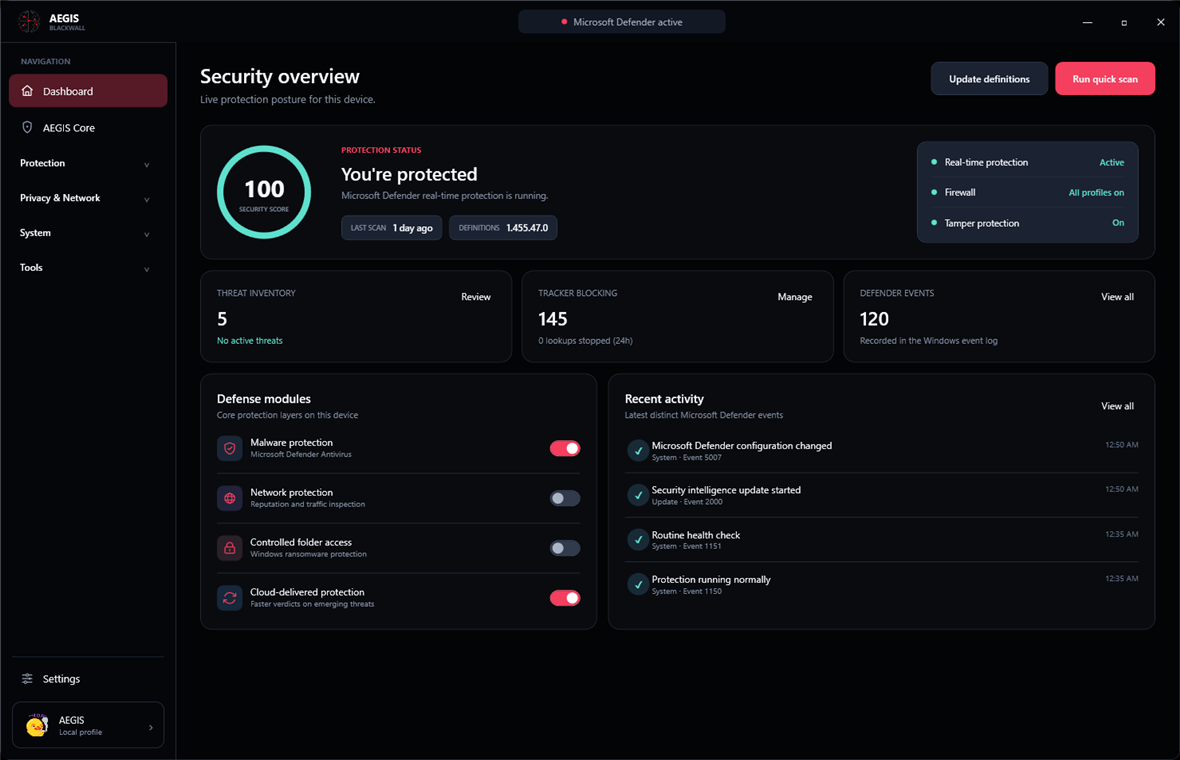
A live security score, shield checklist, and honest posture stats — everything on this screen is read from Windows in real time. Nothing is decorative.
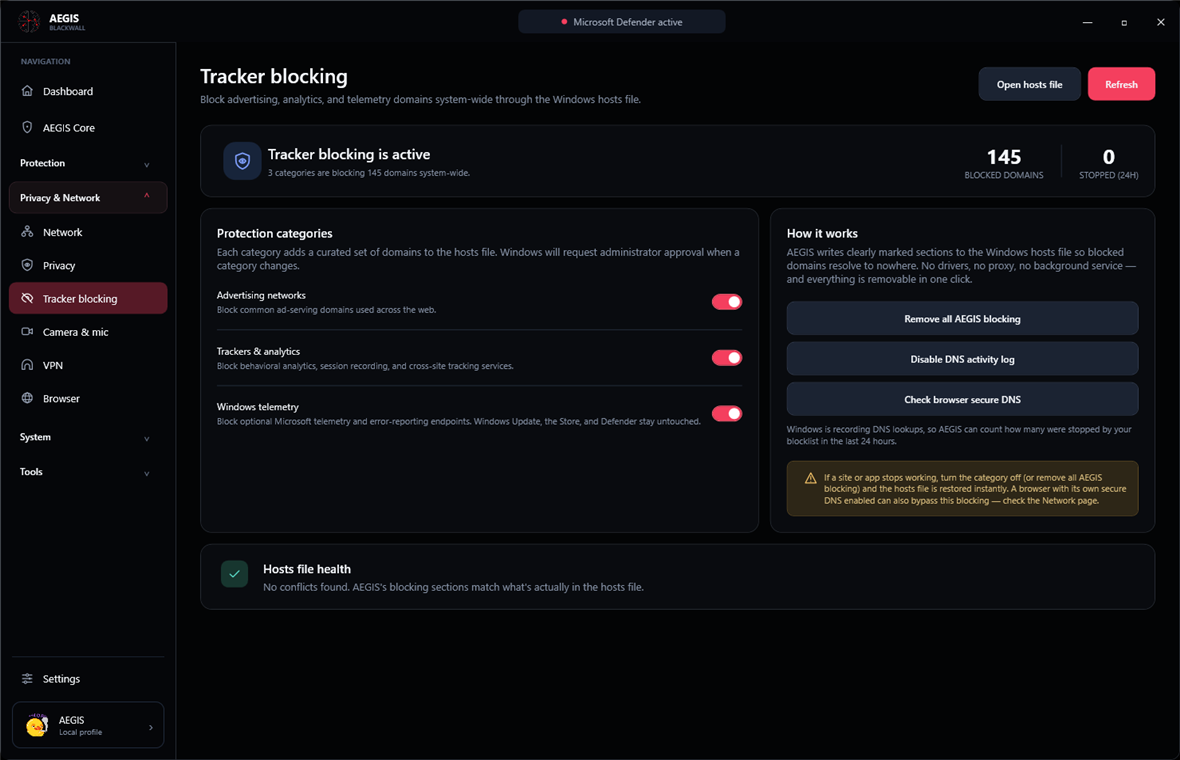
Three curated categories block ads, analytics, and Windows telemetry system-wide — and a live counter shows exactly how many lookups your blocklist stopped in the last 24 hours.
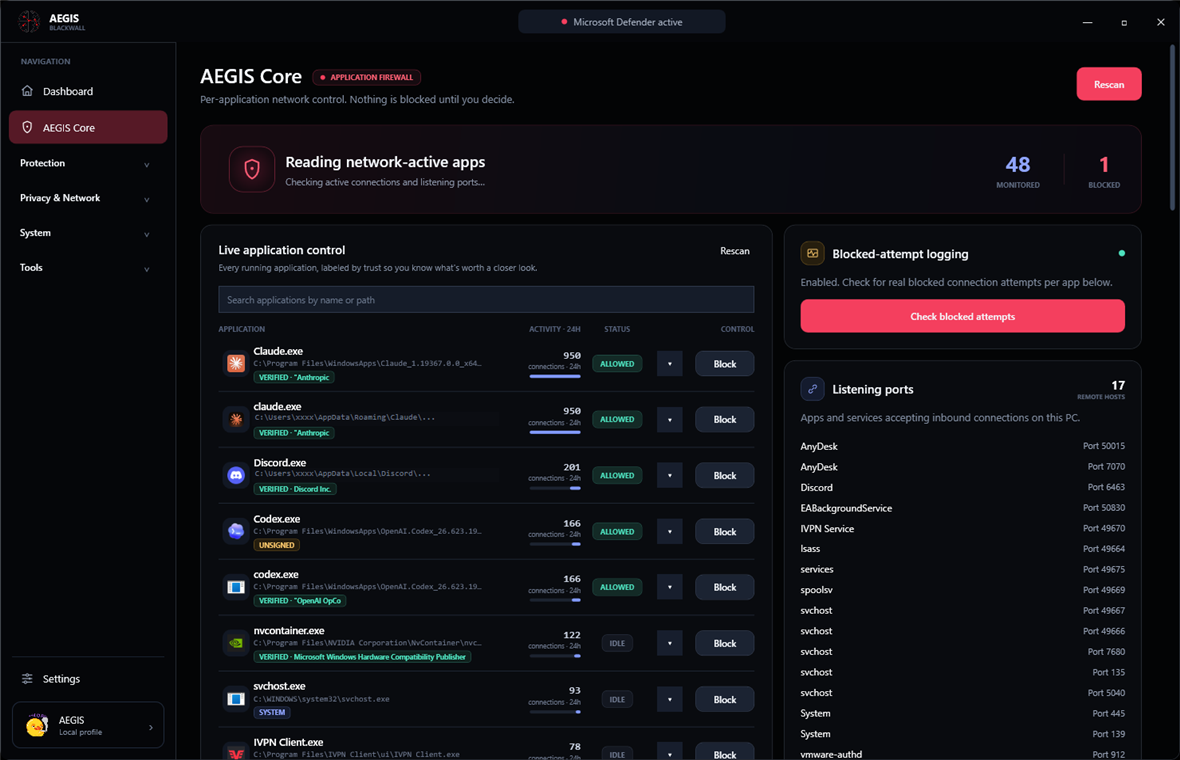
Every running app, labeled by trust — Windows system component, verified publisher, unsigned, or worth a closer look. Block or allow with one click, backed by real Windows Firewall rules.
Built-in updates keep AEGIS current.